Track every link
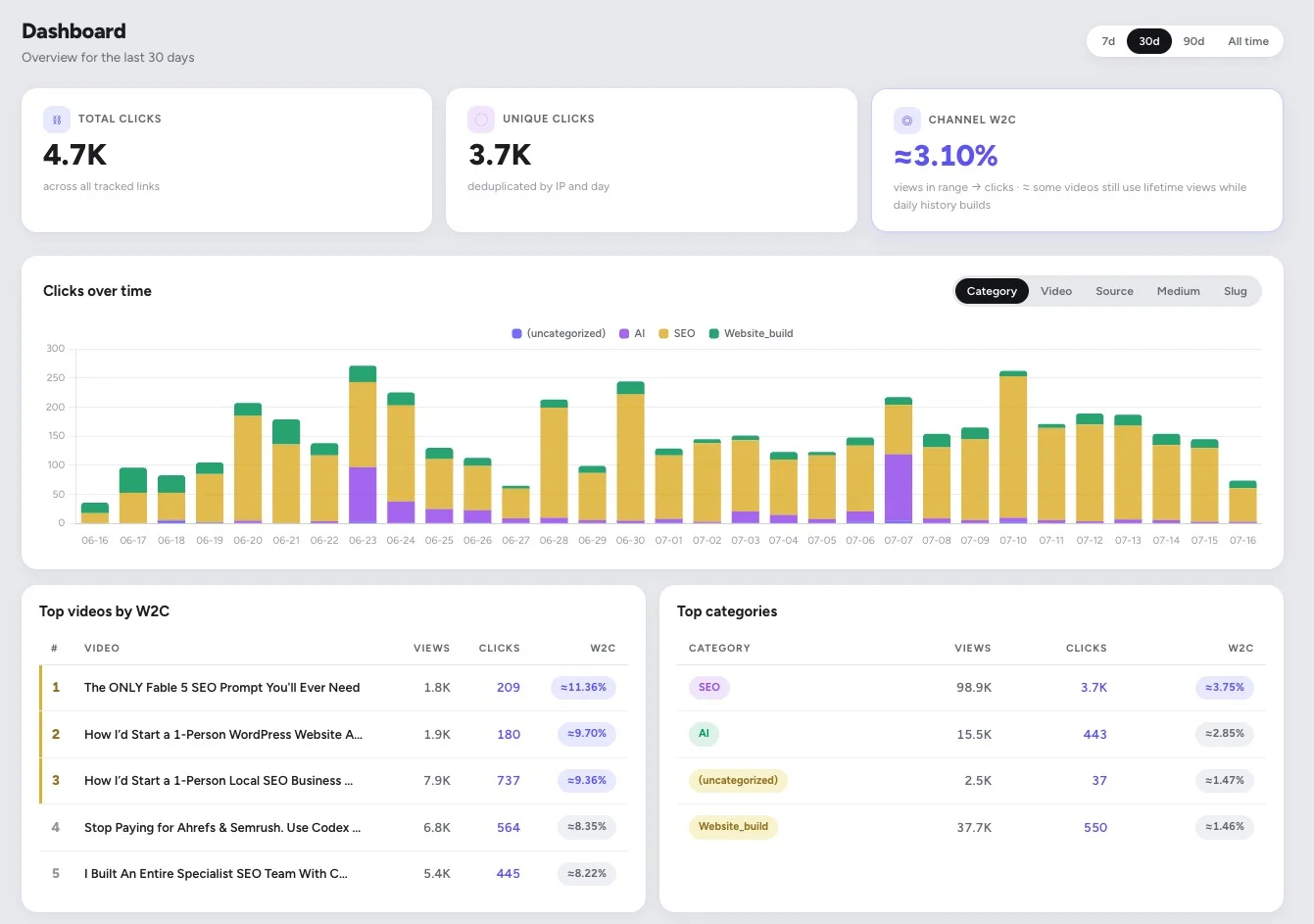
Create a short link for anything you post and watch it live: clicks, unique visitors, top countries, and exactly where the traffic came from.
You post your Skool link everywhere: YouTube descriptions, pinned comments, Instagram, TikTok, your newsletter. SkoolTrafficTracker is link tracking for creators that shows which videos and platforms really drive the clicks, so you can do more of what works and stop guessing.
Track links from YouTube · Instagram · TikTok · Newsletters · anywhere you post
Skool tells you who joined. YouTube tells you who watched. Neither tells you which video or post actually sent them. So you keep making content without knowing what is working.
Create a short link for anything you post and watch it live: clicks, unique visitors, top countries, and exactly where the traffic came from.
Connect your channel and see which videos turn viewers into clickers, ranked by watch-to-click rate. Real YouTube link tracking, not guesswork.
See whether YouTube, Instagram, TikTok, or your newsletter sends the most traffic, so you spend your effort where it pays off.
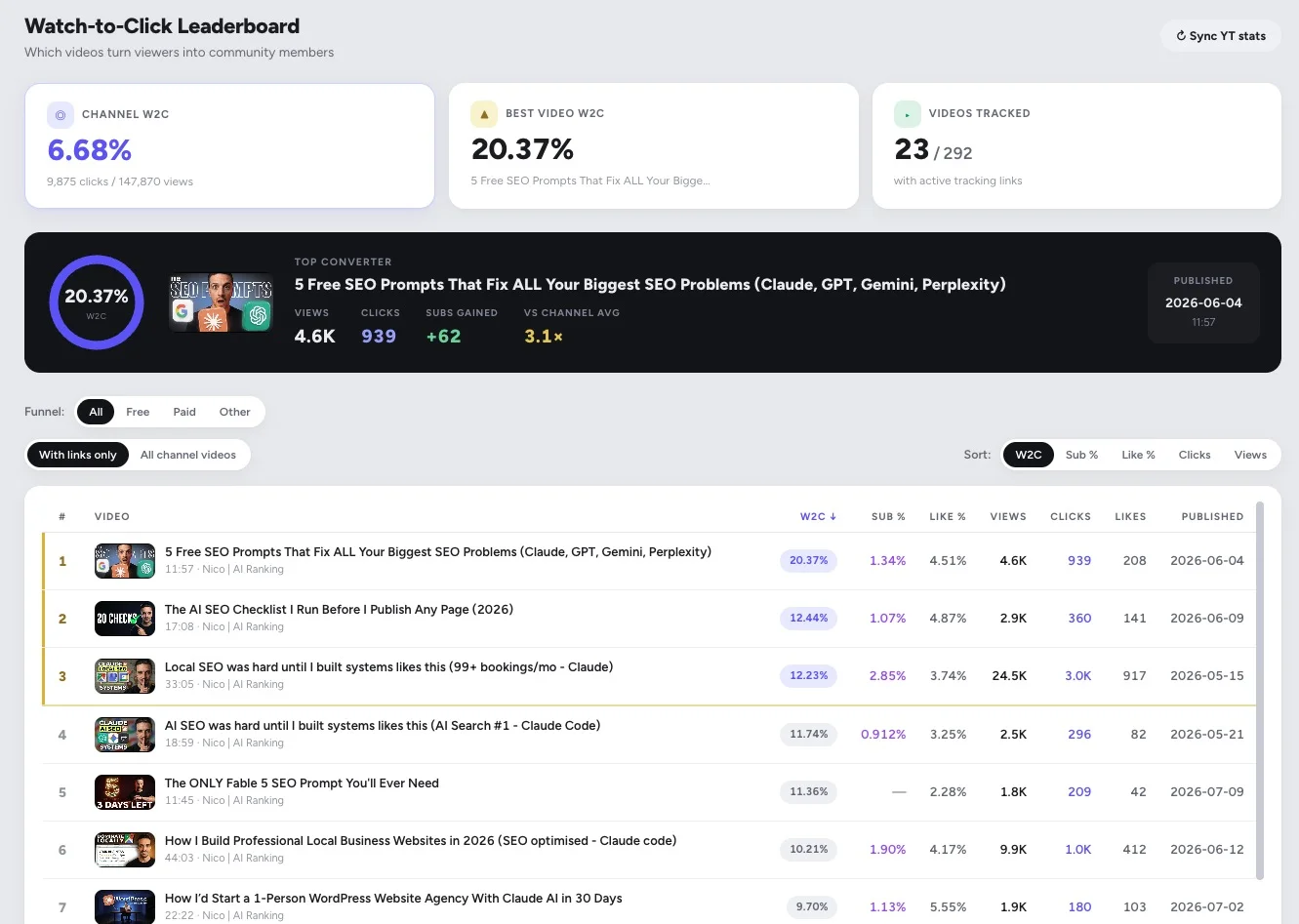
The Watch-to-Click Leaderboard on a real channel: the top video turns 20.37% of viewers into clicks, 3.1× the channel average.
Paste your Skool destination, tag the source and video, and get a clean short link.
Drop it in your YouTube description, pinned comment, bio link, or email.
Watch clicks roll in by video, platform, and country, and double down on what works.
Create a short link for your Skool destination, drop it in your video description or pinned comment, and connect your YouTube channel. SkoolTrafficTracker matches clicks to each video and ranks them by watch-to-click rate, so you can see exactly which videos send people to your community.
Every link is tagged by its source, so your dashboard shows clicks broken down by YouTube, Instagram, TikTok, newsletters, and anywhere else you post. You can see at a glance which platform is worth your time.
Yes. A short link works anywhere you can paste a URL. Tag it by platform when you create it, and every click is tracked the same way, with the referrer, country, and unique-visitor count.
It is the share of a video's viewers who click through to your link. It is the clearest signal of which content actually converts attention into community traffic, and it is the metric the leaderboard ranks your videos by.
Only if you want the watch-to-click leaderboard. Link tracking, platform comparison, and per-link stats all work without connecting anything. Connecting YouTube adds view-based conversion rates on top.
General shorteners are built for enterprises and give you a raw click count. SkoolTrafficTracker is built for creators running a Skool community: it ties clicks back to specific videos and platforms and shows which content grows your community, not just how many people clicked.
Sign in with your Google account and create your first short link in under a minute. No setup, no code.