What is Skool and how does it work?
Skool is an online community platform where creators host a discussion feed, course content, and live events in one place, and optionally charge for access. Every plan includes unlimited members, courses, videos, and live calls.
A Skool community (a "group") has four main tabs. The Community tab is a feed where members post and comment, like a forum with modern mechanics. The Classroom holds courses: video lessons organized into modules. The Calendar lists events and live calls. And the Leaderboard is the gamification layer: members earn points when others like their posts, level up, and can unlock content at higher levels.
That last part sounds like a gimmick, but it is the reason engagement on Skool feels different. In my free community of 8,000+ members, the leaderboard and levels do more for daily activity than any email sequence I have ever written.
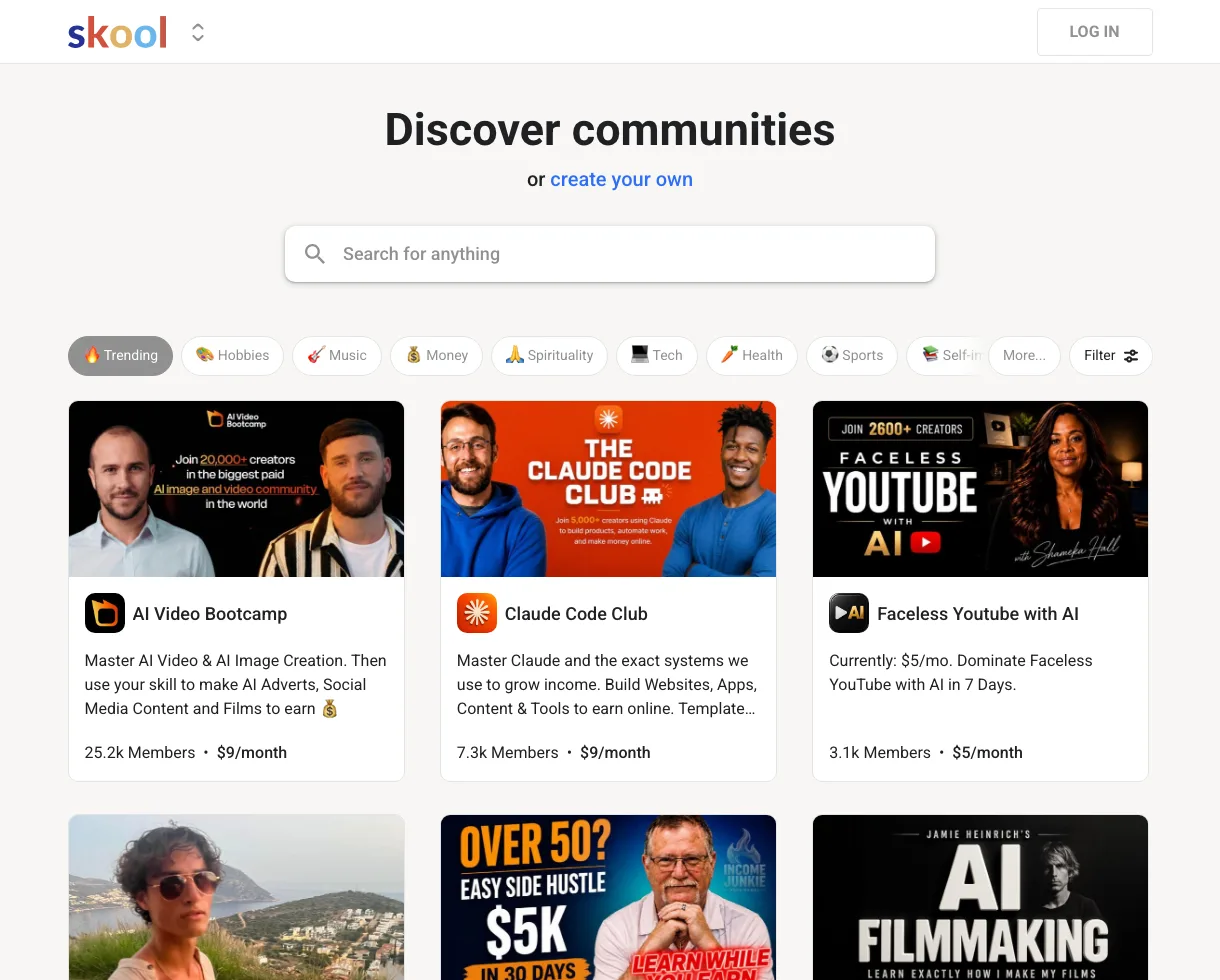
Skool's discovery page: communities in every niche, each showing its member count and price up front.
What is the Skool app?
The Skool app is the platform's free mobile companion for iOS and Android. Members use it to read the feed, take courses, and get push notifications, and owners use it to run their community from a phone.
For owners the app matters more than it sounds: push notifications are a big part of why members come back daily instead of whenever they remember to check a browser tab.
How much does Skool cost?
Skool has two plans: Hobby at $9 a month and Pro at $99 a month. The big difference is the transaction fee on paid memberships, 10% on Hobby versus 2.9% on Pro, and Pro also adds a custom URL and the member affiliates feature.
Which plan makes sense depends on your revenue. Our Skool pricing breakdown has the exact break-even math, including the point where Pro becomes the cheaper option.
Who is Skool for?
Skool fits creators, coaches, and educators who want their audience in one owned space instead of scattered across social platforms. If you teach something and your people benefit from talking to each other, it is a strong fit.
My own use case: I teach SEO with AI. Viewers find me on YouTube, join the free community for resources and discussion, and the most committed ones upgrade to the paid community. Skool handles everything after the click: the joining, the content, the billing, and the daily engagement.
How do people make money on Skool?
There are two main ways: charging a membership fee for your community, and Skool's affiliate program, which pays 40% of monthly recurring revenue for life on referred subscriptions. Many owners combine both.
The paid-community model is the bigger one. My paid group has 600+ members and added $4,105 in new monthly recurring revenue in the last 30 days, all billed natively through Skool. If you want to see the model from the inside before building your own, create a Skool account and browse some communities in your niche first.
What is included on every Skool plan?
| Feature | Hobby ($9/mo) | Pro ($99/mo) |
|---|---|---|
| Members | Unlimited | Unlimited |
| Courses and videos | Unlimited | Unlimited |
| Live calls | Unlimited | Unlimited |
| Custom URL | No | Yes |
| Member affiliates feature | No | Yes |
| Transaction fee on paid memberships | 10% | 2.9% |
Ready for a deeper look? Read our full Skool review with two years of real numbers, or jump straight to how to start your own community.