Instagram → Skool

Track which Instagram posts send members to your Skool community

"Link in bio" is where attribution goes to die. Followers see a reel, tap through your bio, land in your Skool, and you have no idea which post earned that member. Give each placement its own tracked link and Instagram stops being a black box.

How it works

Instagram link tracking in three steps

  1. 1

    One link per placement

    Bio, story sticker, reel pinned comment, broadcast channel: each gets its own short link, tagged with where it lives.

  2. 2

    Post like you already do

    Nothing about your content changes. The links are clean and short, and every click is recorded with country and unique visitors.

  3. 3

    See what recruits

    Your dashboard splits Instagram by placement and compares it against YouTube, TikTok, and email, so you know where your members come from.
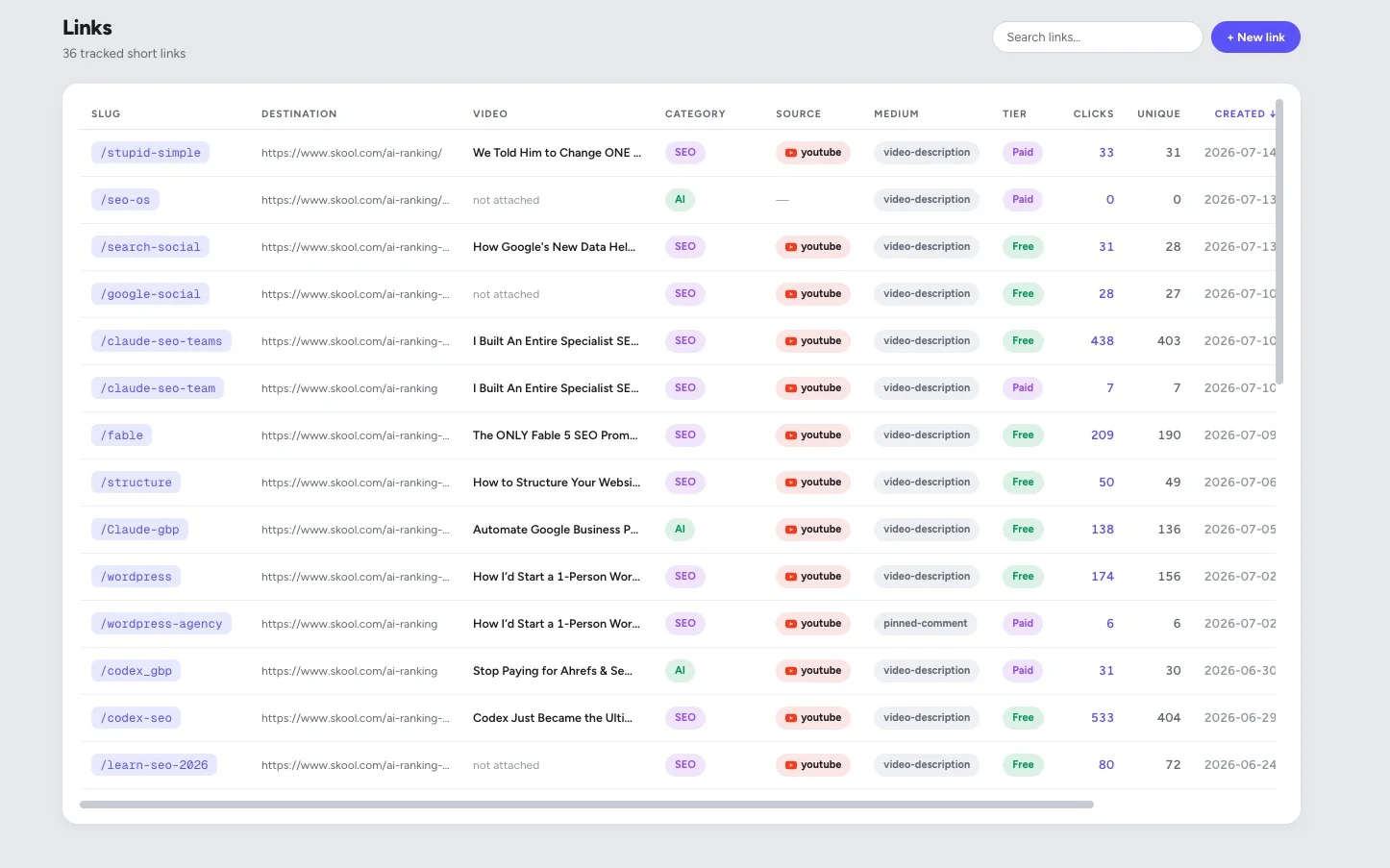
Links view in SkoolTrafficTracker: tracked short links with source, medium, tier, clicks, and unique visitors per link

Every placement is its own link, with its own click count. This account tracks 36 of them.

Why it matters

Stories, reels, and bio are different funnels

Instagram reports likes, reach, and profile visits. None of those are members. A reel with 200,000 views that sends 9 people to your community is worth less to your Skool than a story with 800 views that sends 60. Without a tracked link on each, both look like "Instagram traffic" and you keep investing in the wrong one.

Skool owners usually discover one of two things in the first week: either stories massively outperform feed content (your warmest audience watches them), or one specific reel format does all the recruiting. Both are decisions you can act on immediately, and both are invisible without per-placement tracking.

FAQ

Instagram tracking questions

How do I track Instagram traffic to my Skool community?

Give each placement its own tracked short link: one for your bio, one for a story link sticker, one for a reel's pinned comment. Every click is recorded against that placement, so you can see whether your bio, your stories, or a specific reel is doing the recruiting.

Instagram only gives me one bio link. How does tracking help?

The bio link is one placement, but stories, reels, broadcast channels, and DMs are all separate roads to your Skool. With a tracked link in each, you stop treating Instagram as one blob of traffic and start seeing which format converts.

Can I see which specific reel sent the clicks?

Yes, if you give that reel its own link (for example in a pinned comment or a story that promotes it). Clicks belong to the link, and the link belongs to the reel. That is the whole trick.

Do link-in-bio tools like Linktree already do this?

Link-in-bio tools show clicks on the buttons on their page. They can't tell you which post drove someone to your bio in the first place, and they don't compare Instagram against your YouTube or TikTok traffic. SkoolTrafficTracker tracks every platform in one dashboard, built around growing a Skool community.

Does this work with story link stickers?

Yes. A tracked short link works anywhere a URL works, including story link stickers. Stories expire, but your click data doesn't: you keep the numbers for every story you ran.

More platforms

Track every road into your Skool

Find out what your followers actually click

Create your first tracked link in under a minute. Free for your first 3 links.

Start free